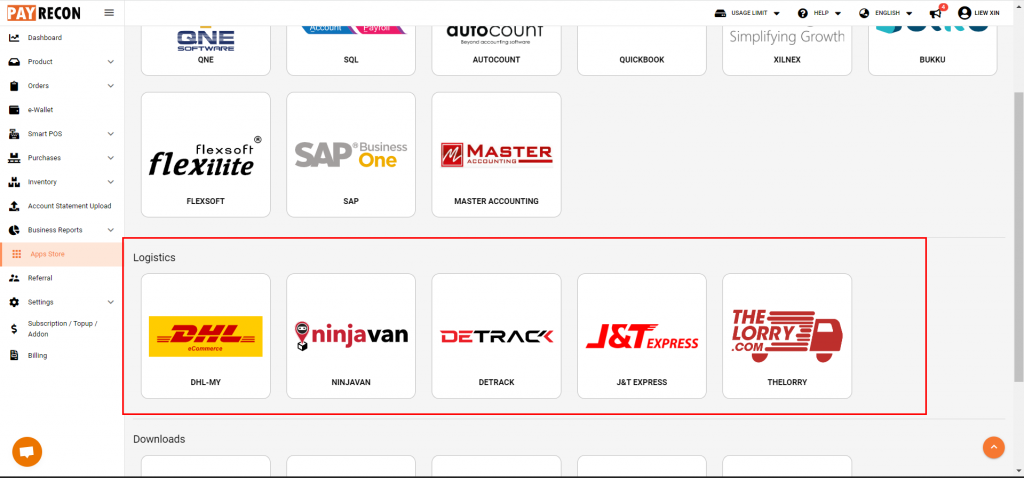
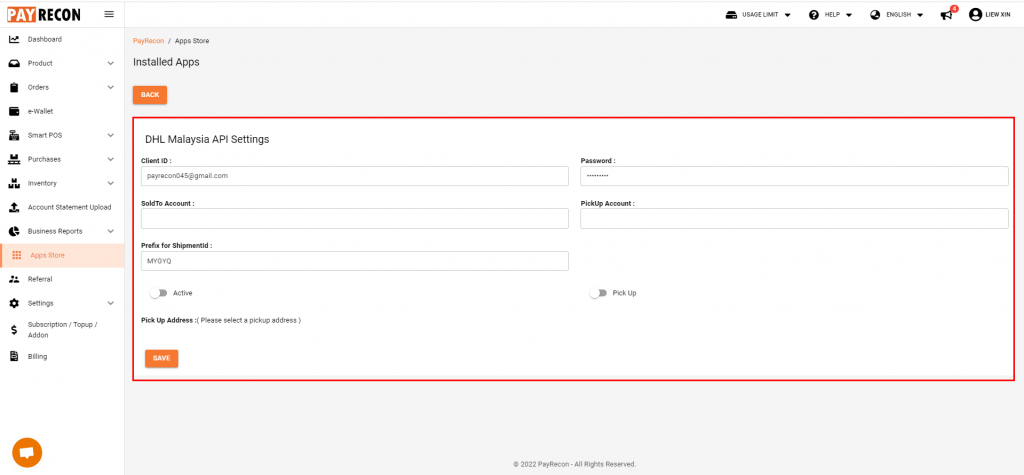
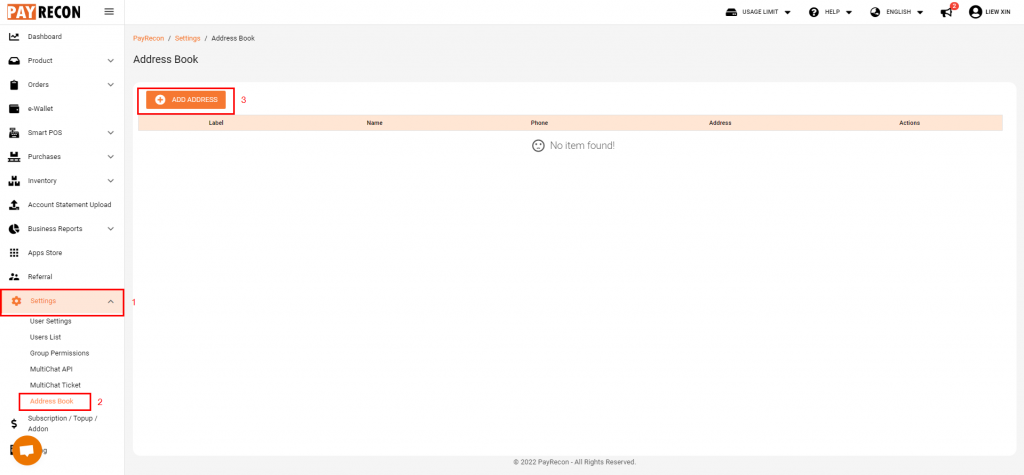
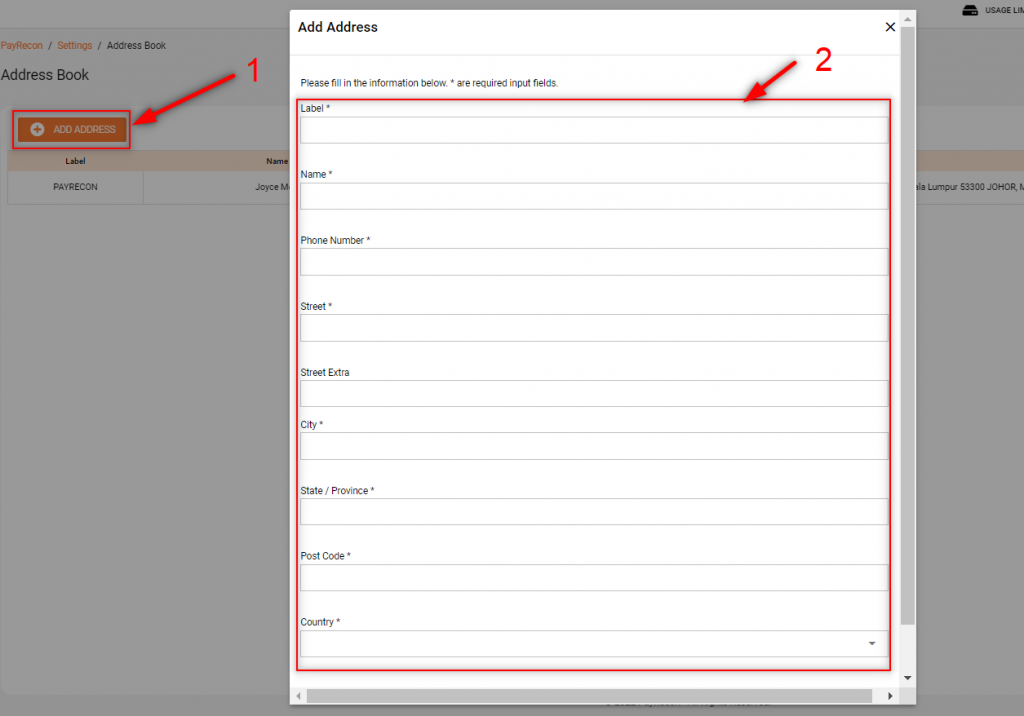
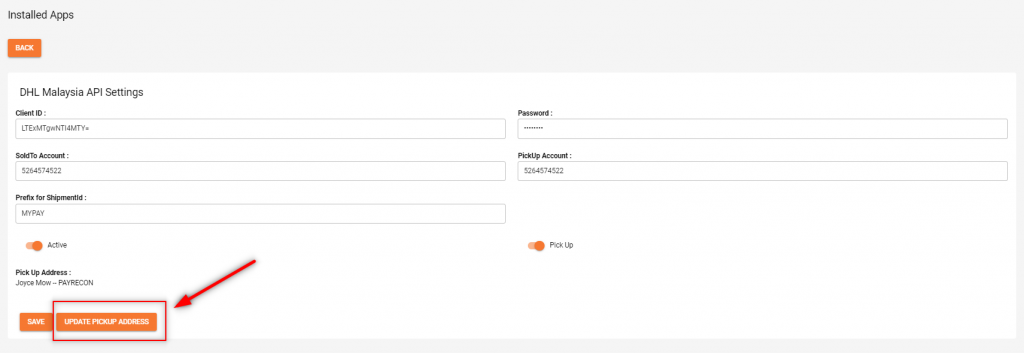
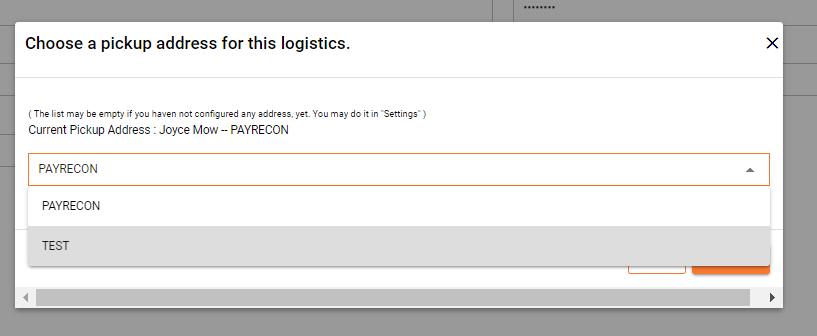
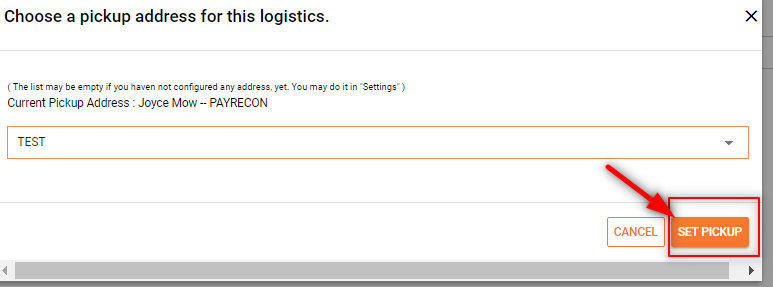
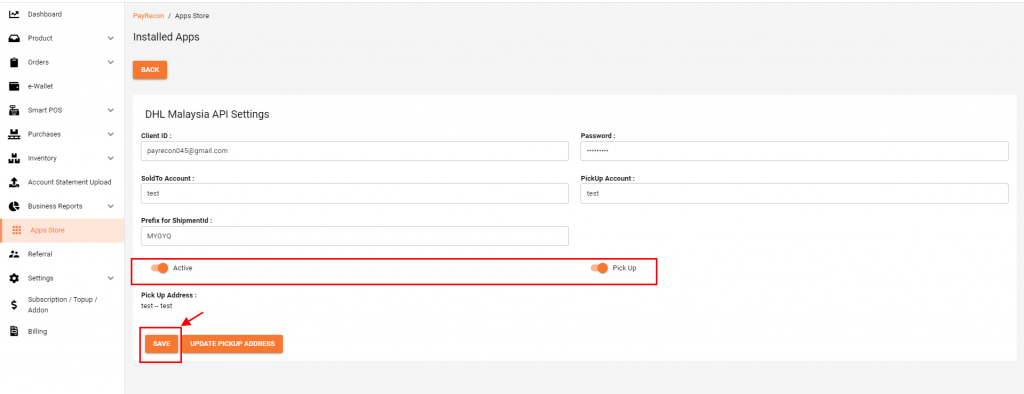
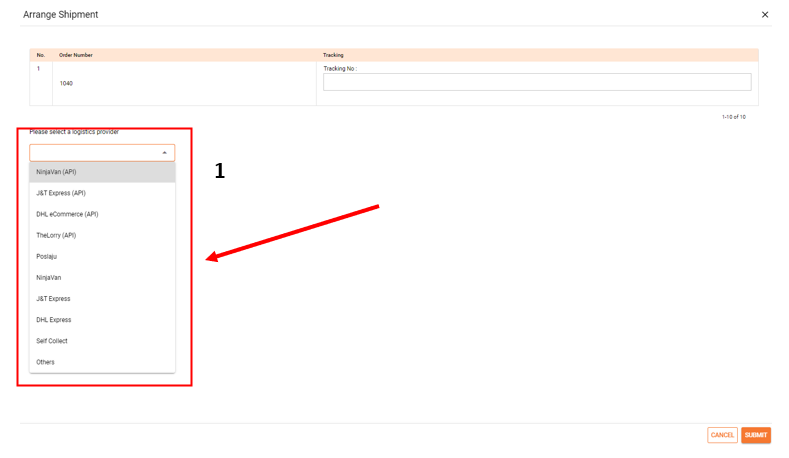
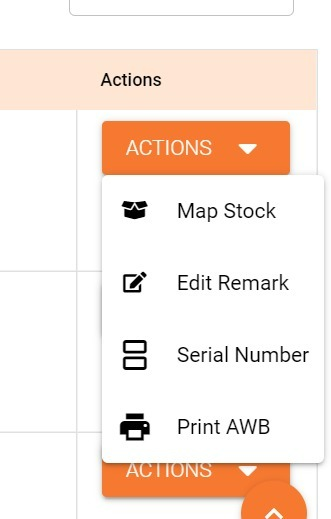
How To Integrate Logistic And Print AWB? Step 1: Go to APP store select the logistic integration Step 2: Fill in the information and save*Information given by logistic company Step 3: Go to Settings -> Address Book -> add address Step 4: Fill in information and savePlease fill in the information below. * are required input fields. Step 5: After add address Go back to APP Store -> update Pick address Step 6: Choose a pickup address for this logistics. Step 7: After choose pick up address select SET PICKUP Step 8: After update pickup address click SAVE*Make sure you have enable ‘ACTIVE’ and ‘PICK UP’ button How To Select Logistic Provider For Process Order? Step 1: To process a logistic order.you may go to new order -> select the order -> Arrange shipment Step 2: Select a logistic provider*Tracking will be generate by marketplace you can left the blank on the tracking number Step 3: To print AWBIn Unscan order MUST select Action -> print AWB to print your order