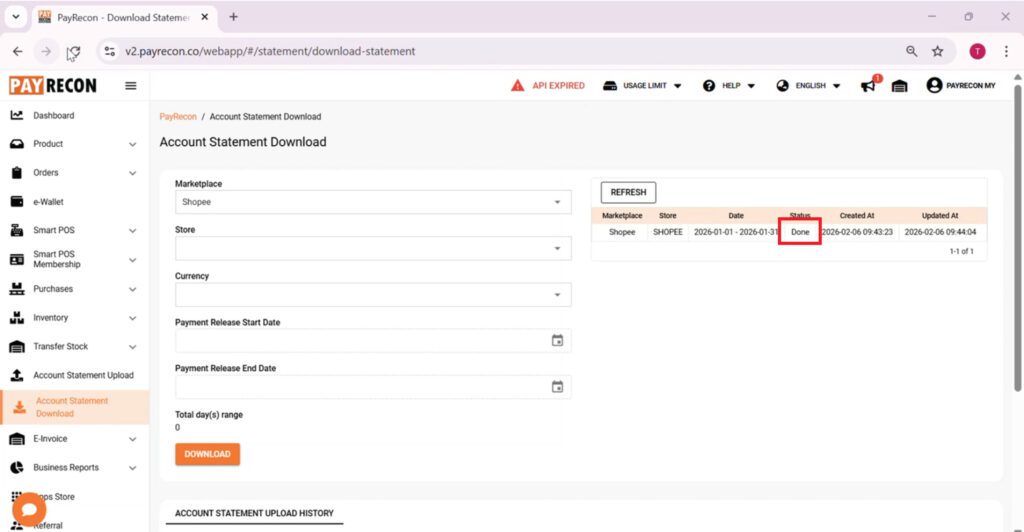
How to download statement in PayRecon: this essential process unlocks instant clarity for your daily financial reconciliations. Specifically, it simplifies data collection from multiple sales channels. Moreover, this automated workflow eliminates manual errors. Consequently, you save hours of tedious bookkeeping every week.
Step 1:
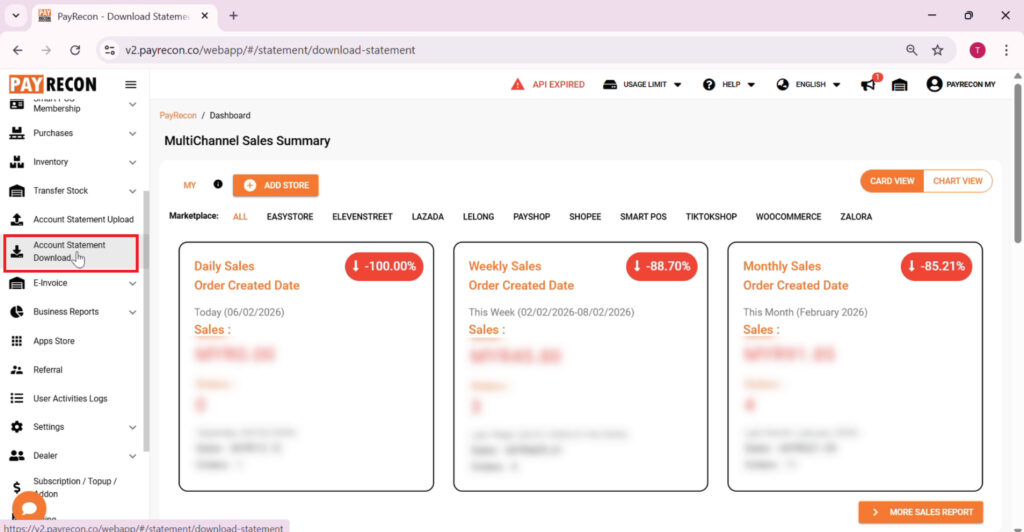
Login to Payrecon OMS. Go to Account Statement Download.
Step 2:
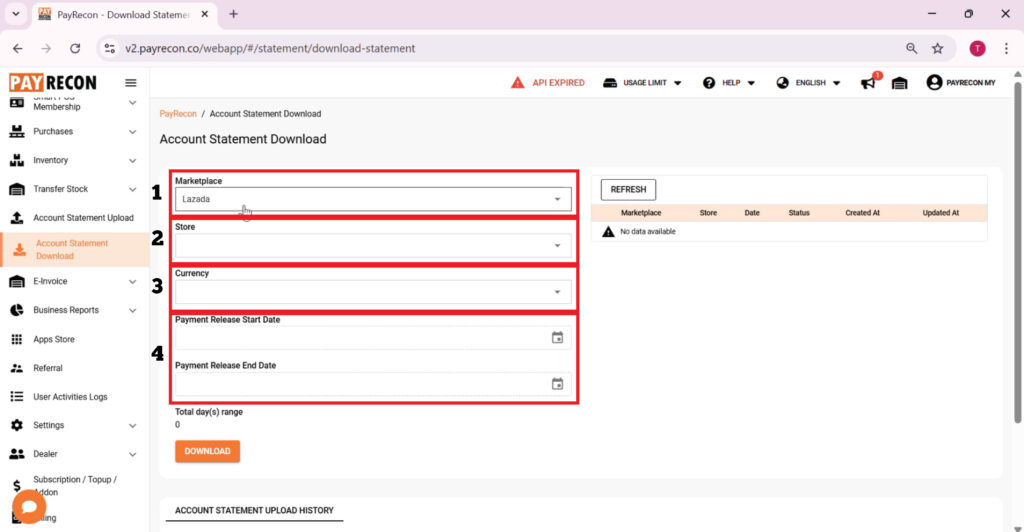
Choose the 1. Marketplace, 2. Store, 3. Currency and 4. Payment release date that you wish to download
Step 3:
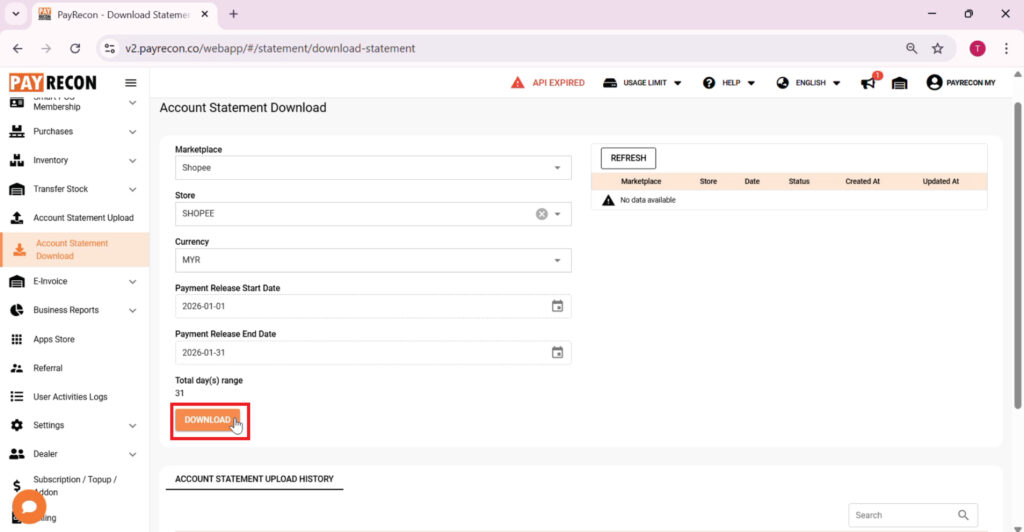
Click on Download.
Step 4:
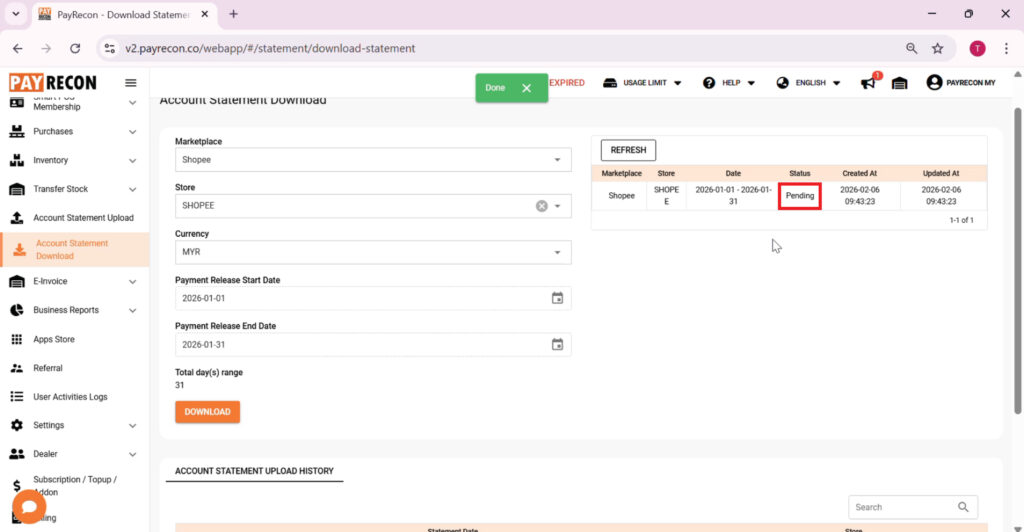
After download, it will appear on right hand side for status pending.
Step 5:
Wait until the download show [Done] And you are able to see the downloaded statement below.