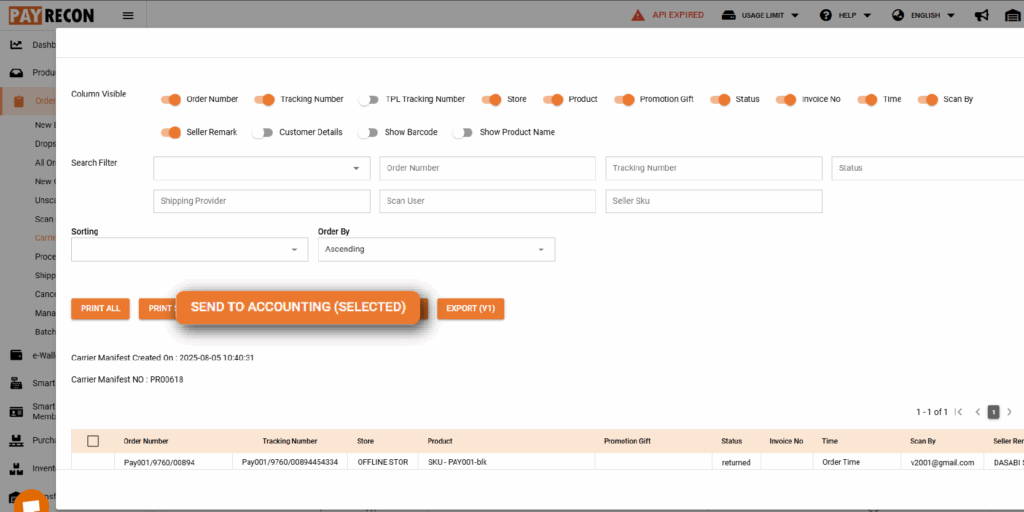
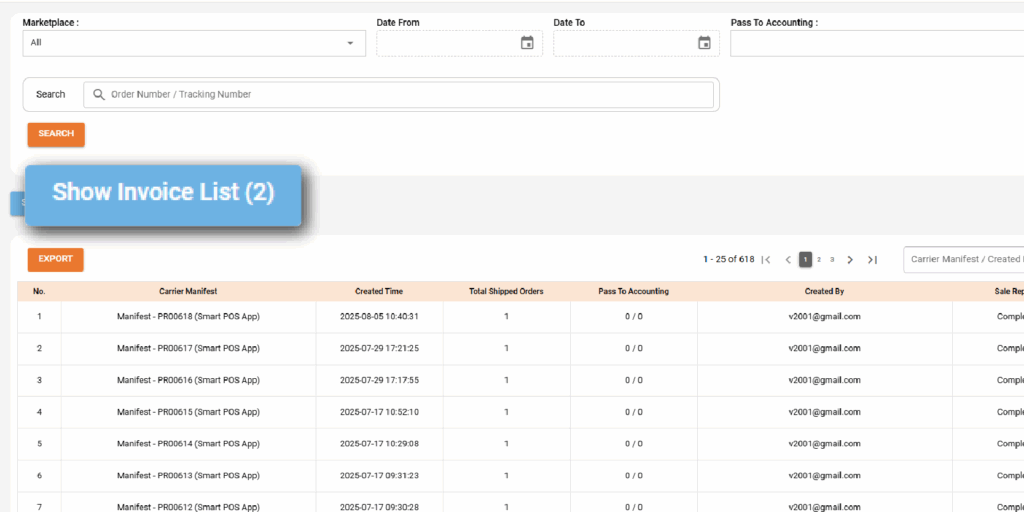
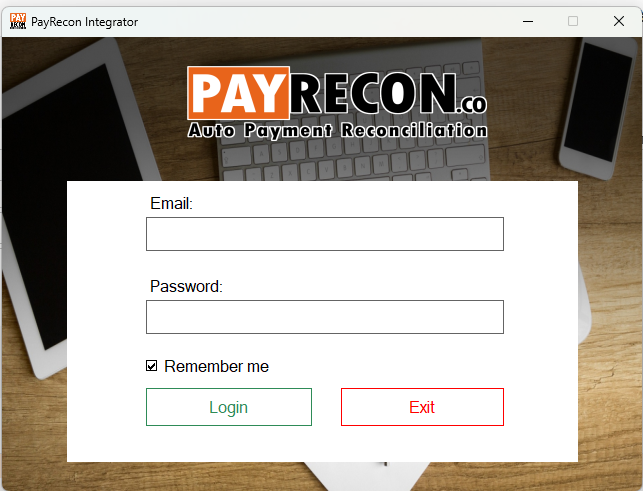
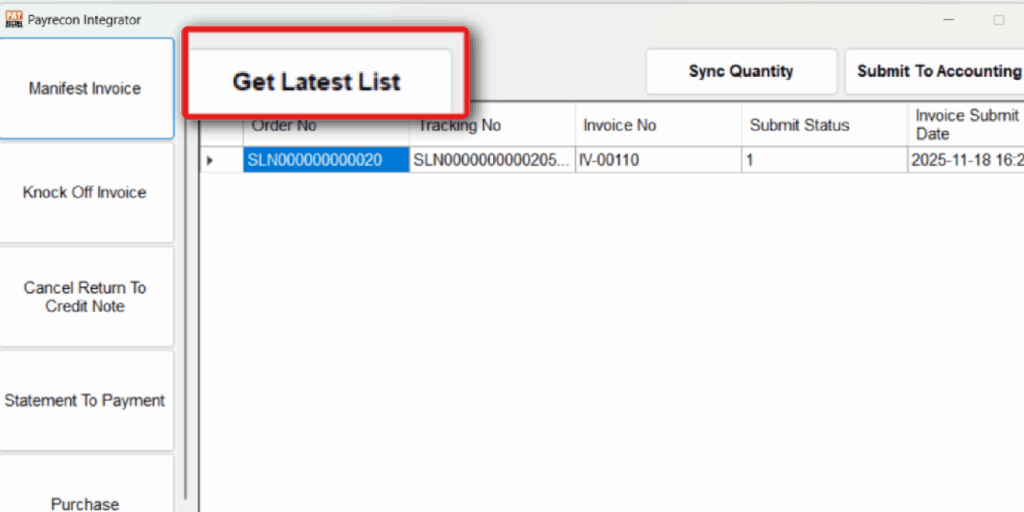
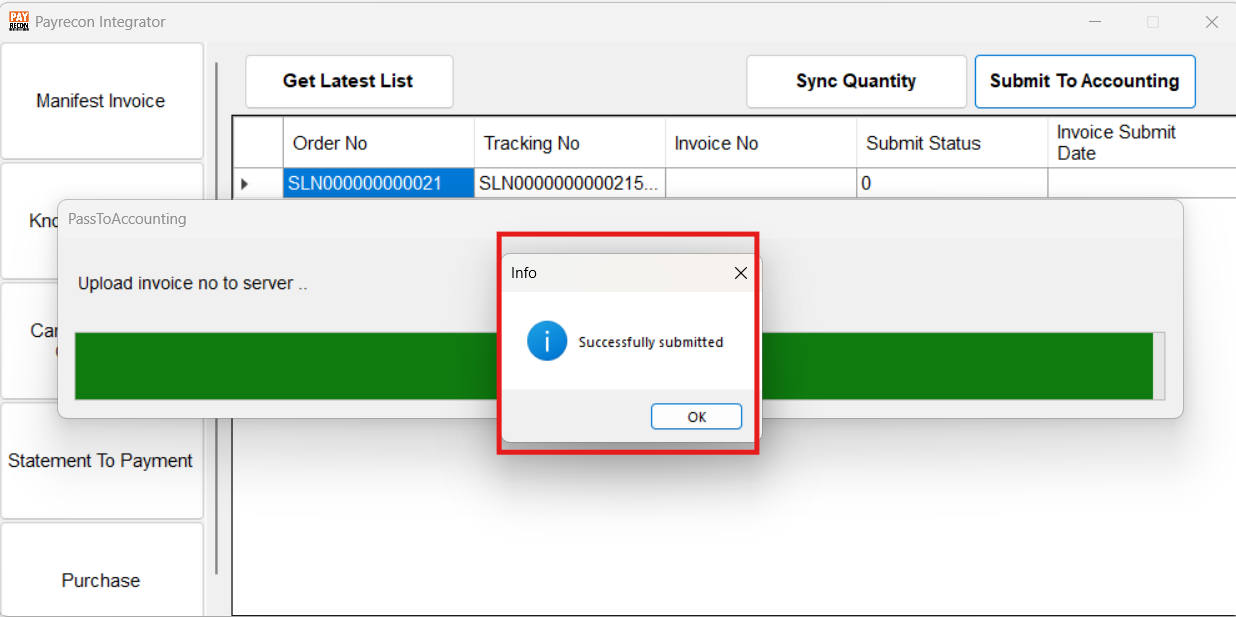
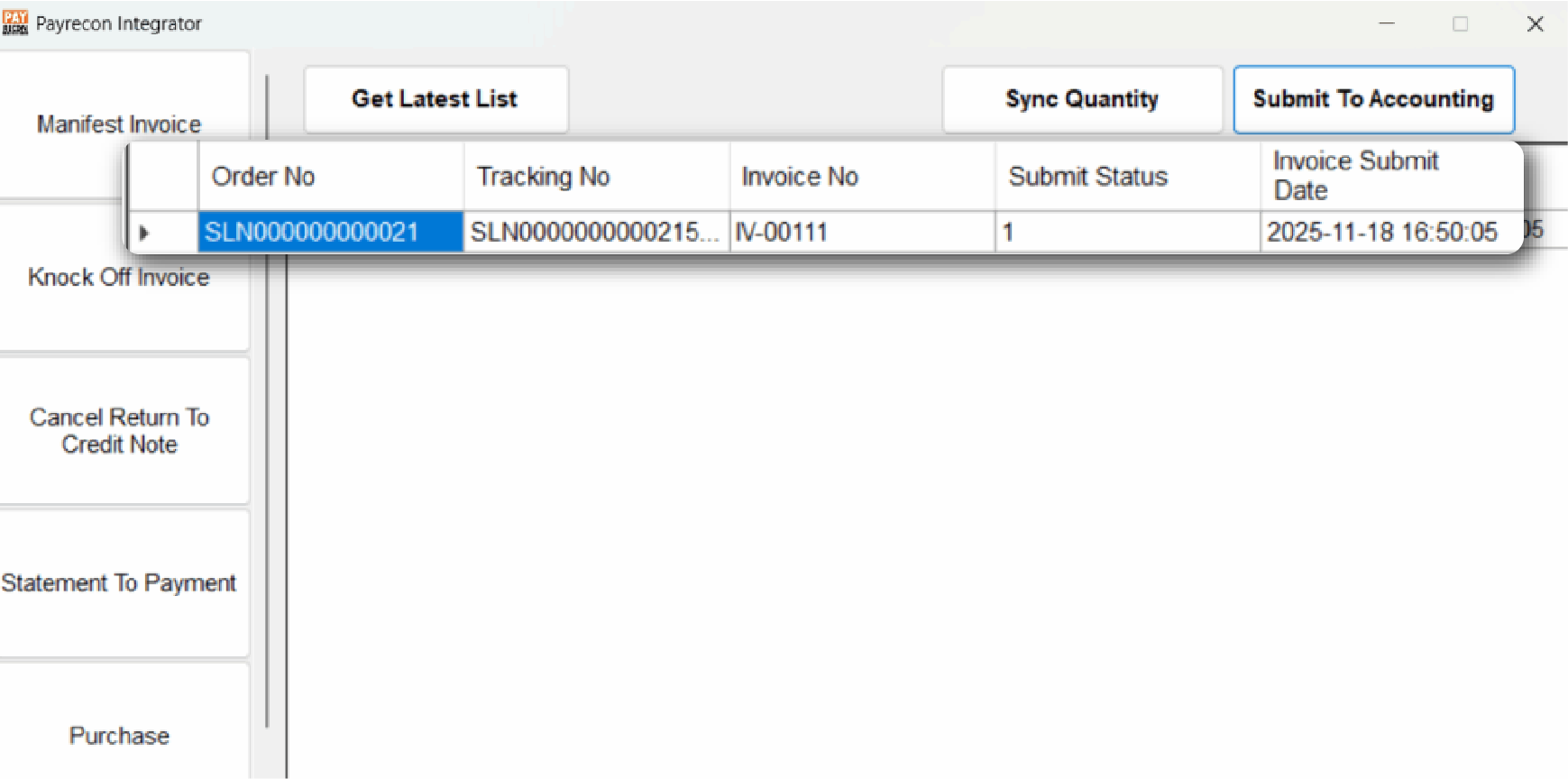
How To Pass Invoice To Autocount Step 1: Go to ‘Orders’ tab then click on ‘Carrier Manifest’ Step 2: Select the Manifest you want to send to AutoCountSelect your orderTick the order number you wantClick ‘Send to Accounting’ Step 3: Click ‘Show Invoice List’Make sure the order send to accounting is displayed Step 4: Open Payrecon Accounting Integrator and Login. Step 5: Click on ‘Manifest Invoice’click on ‘Get Latest List’ It will capture the invoices from the “Show Invoice List” in the Manifest.select your invoice from the list and click ‘Submit to Accounting’ Step 6: After the upload is successful, a “Successfully Submitted” message will pop up.You can check the invoice number has been updated in the list.