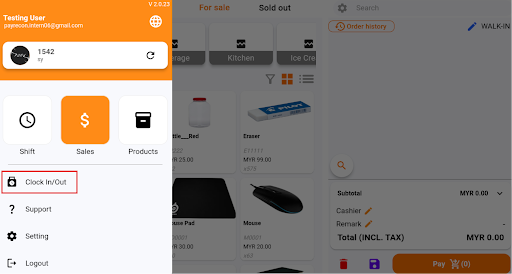
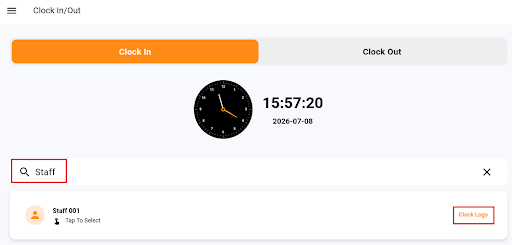
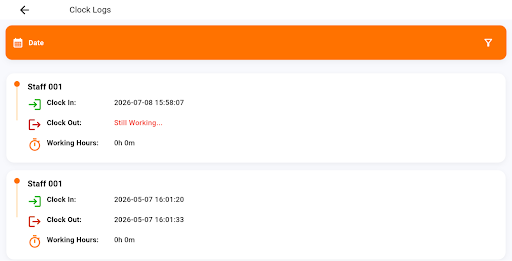
How to Check Staff Clock In/Out Logs in Smart POS App? How to Check Staff Clock In/Out Logs in Smart POS App? Step 1: Login to Smart POS App. Click on the three line icon on the top left of the page and Select ‘Clock In/Out’ Menu Step 2: Search for the staff name. On the right side of the staff details row, Tap “Clock Logs” Step 3: The staff’s clock in/out history will be displayed, including the recorded clocking details.