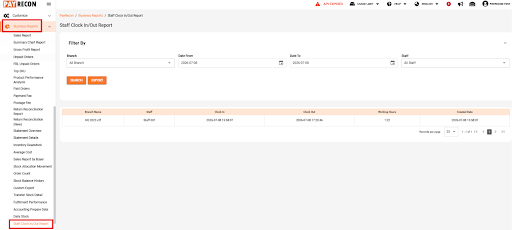

In the navigation bar on the left, navigate to ‘Business Reports’.
Under ‘Business Reports’, scroll down until you find ‘Staff Clock In/Out Report’. In the Staff Clock In/Out Report page, you can apply the required filters, then click ‘Generate’ and ‘Export’ to export the excel file.
Branch Name | Display the branch where the staff clock in/out record was created. |
Staff Name | Display the staff name. |
Time In | Display the staff clock in date and time. |
Time Out | Display the staff clock out date and time. |
Total Hours | Display the total working hours calculated based on the clock in and clock out time. |